Curo · Plugins
Curo in Claude and Codex
On this page
Want the quick way? Add Curo in a few clicks.
Claude app
Works in Claude on the web, in the desktop app and in Cowork.
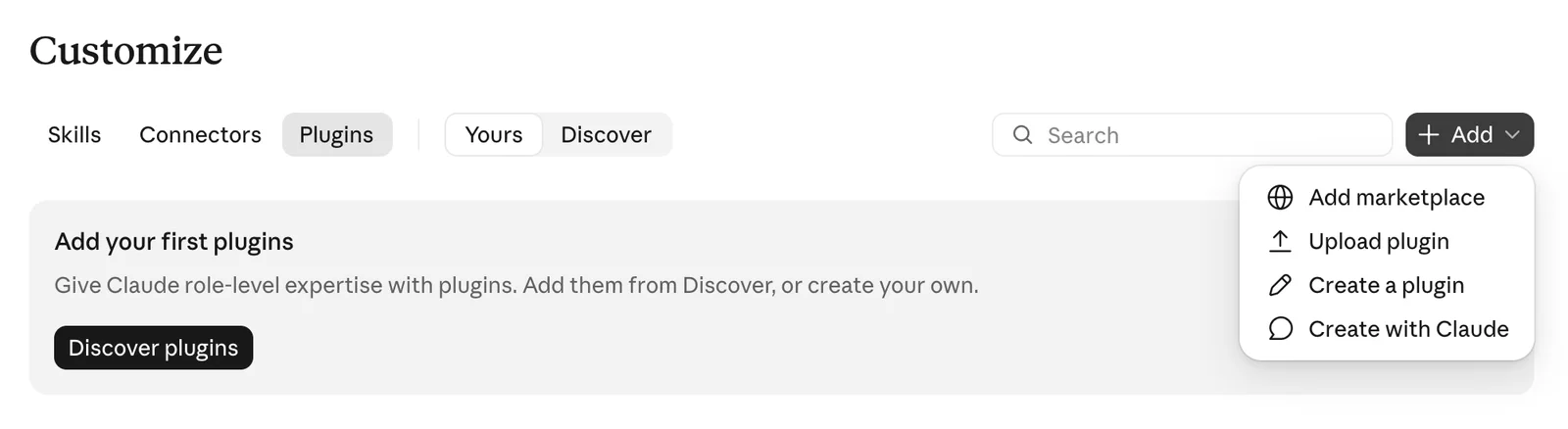
- Open Customize in the sidebar, choose the Plugins tab, then Add > Add marketplace.
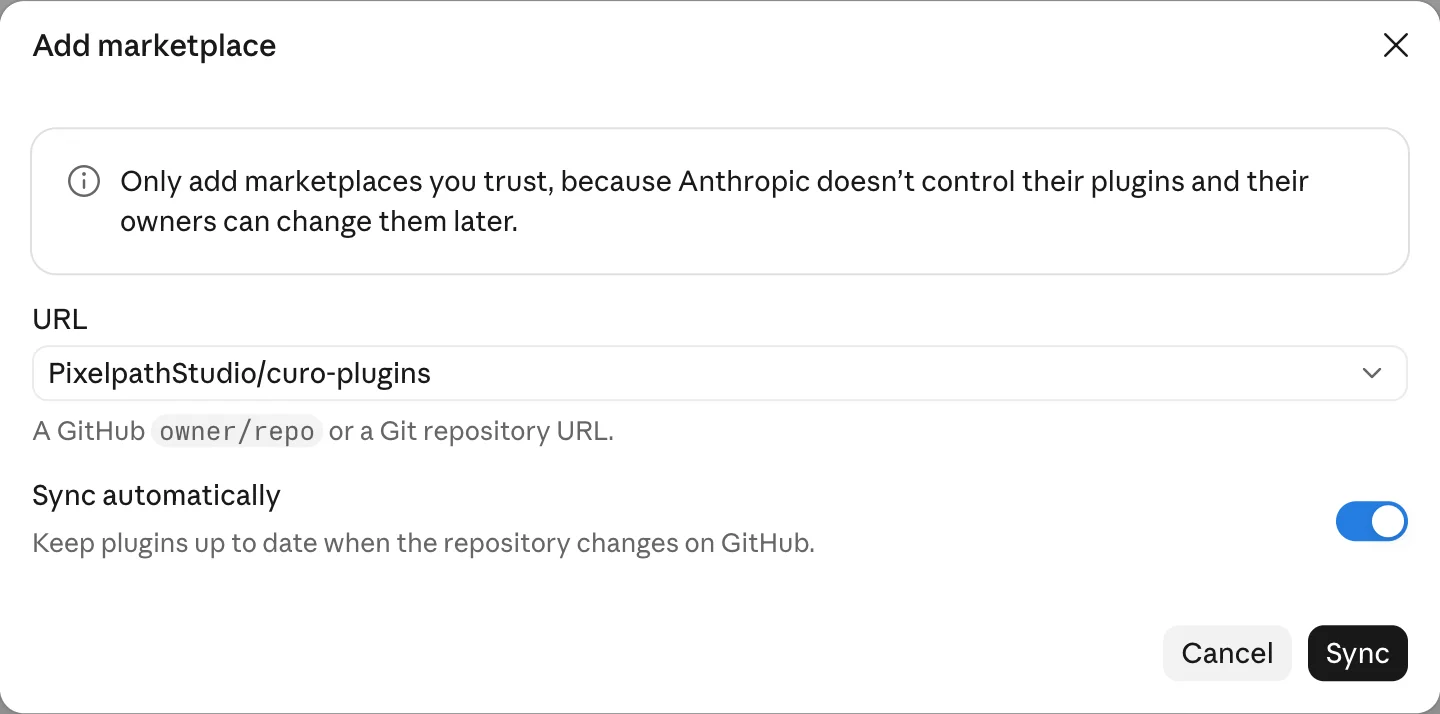
Enter Curo's marketplace and press Sync.
PixelpathStudio/curo-pluginsIf Claude then offers its GitHub app for auto-sync, you can skip it. Curo still installs.
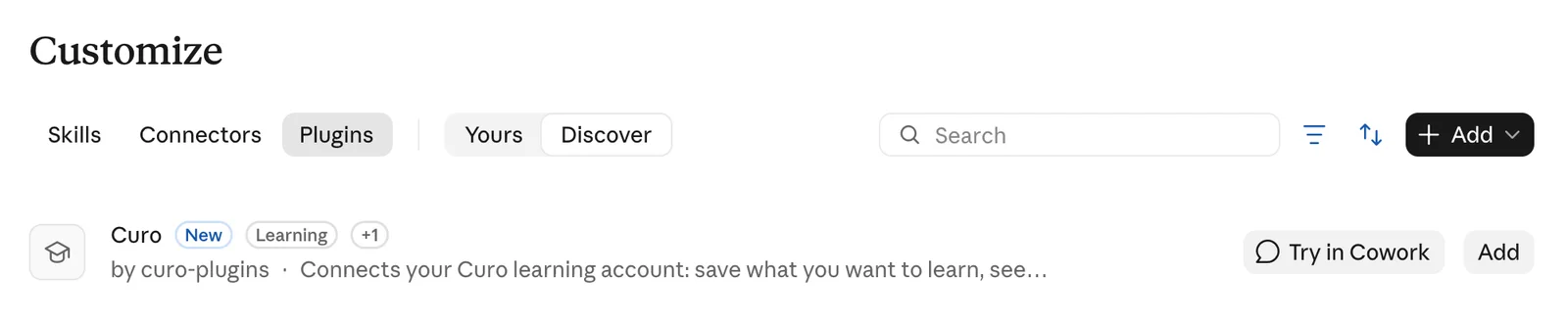
- Curo appears in your plugins. Press Add.
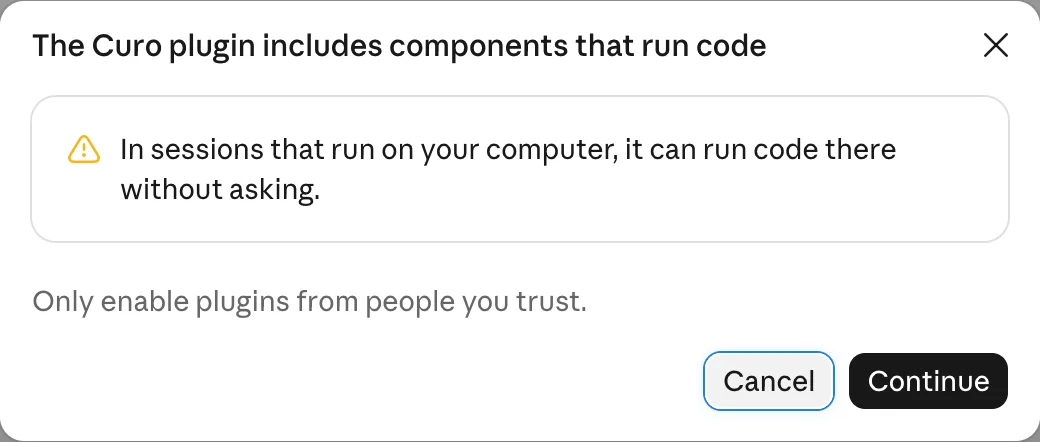
- Claude points out that the plugin can run code. That's Curo's activity hooks, which send nothing until you turn them on. Press Continue.
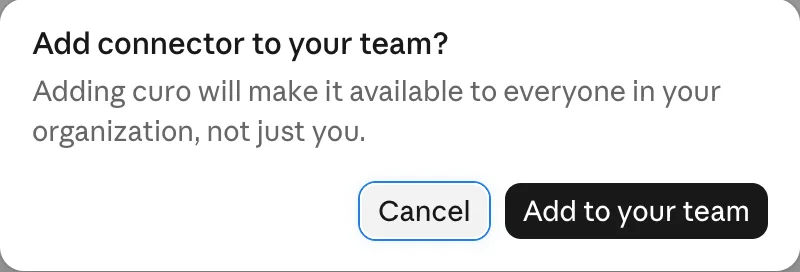
- Open the plugin's Connectors tab, connect curo and sign in with your Curo account. Curo asks whether the assistant may read your plan, make changes, or both. On a Team or Enterprise plan the button says Add for your team; see For teams.

Claude Code
From your terminal:
claude plugin install curo --marketplace PixelpathStudio/curo-pluginsAdding marketplace… ✔ Successfully added marketplace: curo-plugins ✔ Successfully installed plugin: curo@curo-plugins (scope: user)
Or inside a Claude Code session:
/plugin install curo --marketplace PixelpathStudio/curo-pluginsThen sign in: in a session, run /mcp, choose plugin:curo:curo and sign in with your Curo account.
/mcpLet your plan follow your work
Optional, in Claude Code and the ChatGPT desktop app. Curo can see which project you're working on, so your plan leans towards it.
- In Claude Code, start a new session, so the plugin's hooks load.
In ChatGPT, open Settings > Hooks, choose Curo and press Trust all. ChatGPT runs a plugin's hooks only after you trust them.

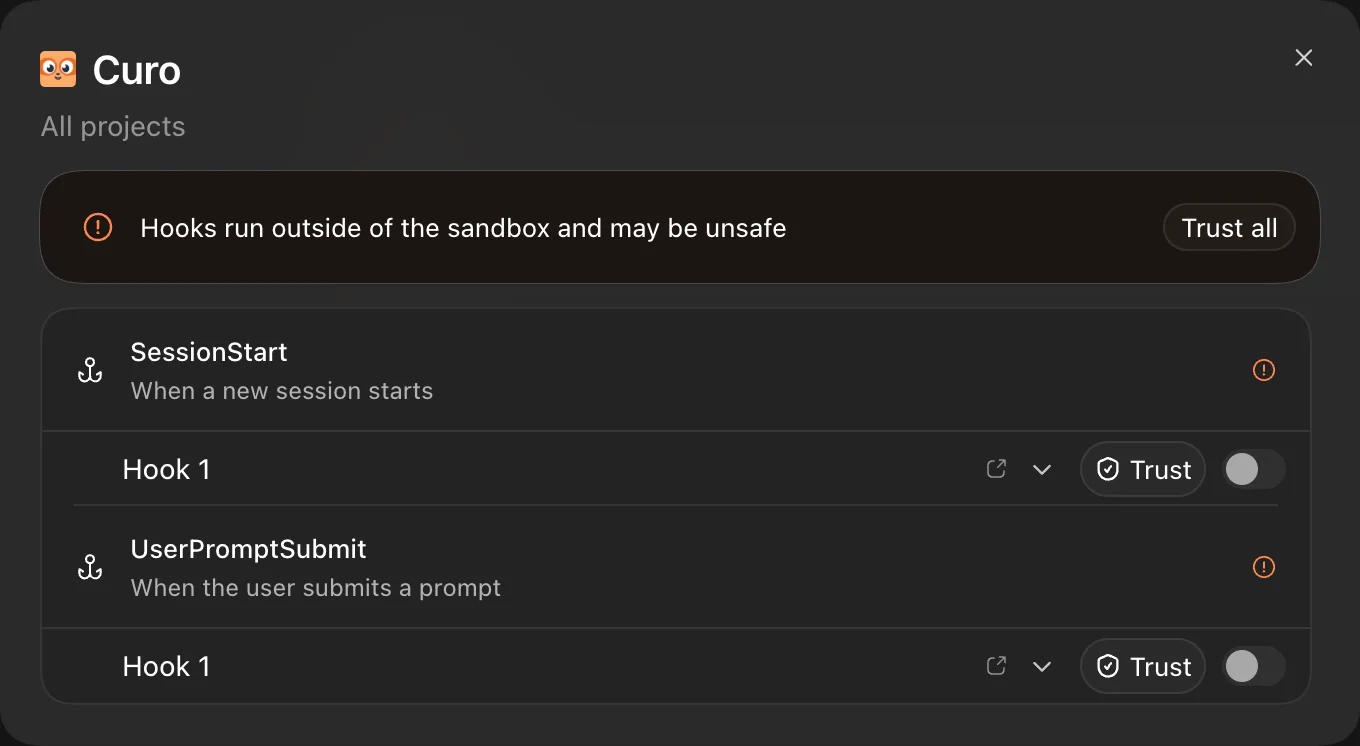
Ask to turn it on (in ChatGPT, in a Work chat). The assistant saves a one-time code in
~/.config/curo/pairing.json; allow it if asked.Turn on Curo activity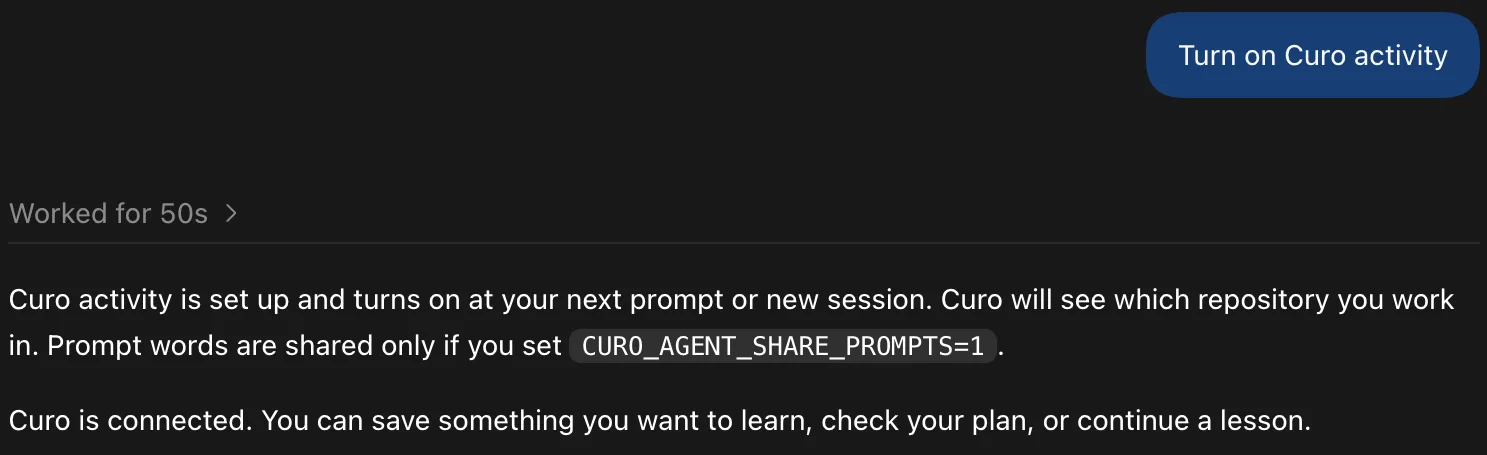
- Send your next message within 10 minutes. The hook trades the code for its own key, and you're done.
Once it's on, Curo receives the repository's owner/name when a session starts. It never receives your code, file names or file contents. The first words of your prompts go only if you set CURO_AGENT_SHARE_PROMPTS=1.
To turn it off, delete ~/.config/curo/agent-token or turn off the plugin's hooks (in ChatGPT, under Settings > Hooks).
ChatGPT and Codex
ChatGPT desktop app
The ChatGPT app for Mac, which includes Codex.
- Open Plugins in the sidebar, then Add > Add a marketplace.
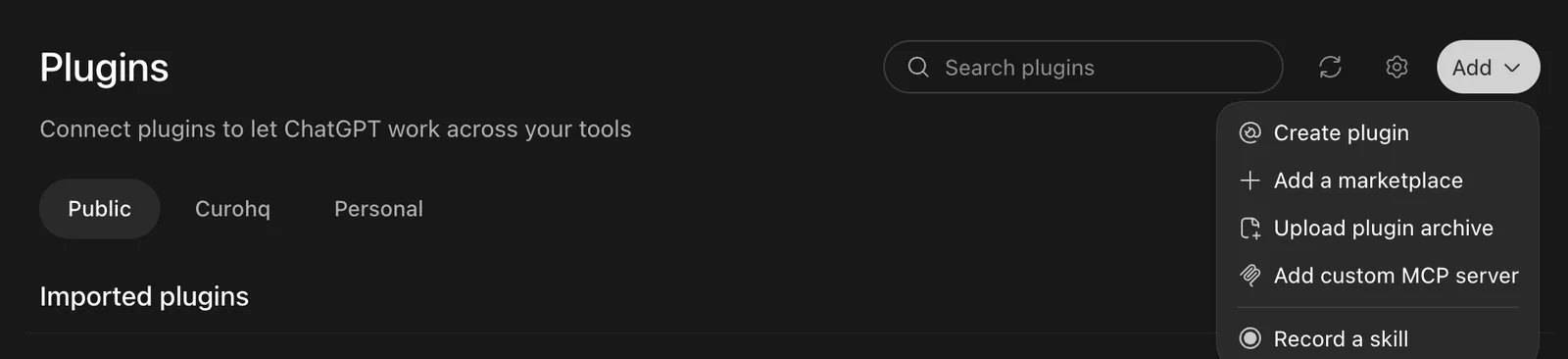
Enter Curo's marketplace as the Source and press Add marketplace.
PixelpathStudio/curo-plugins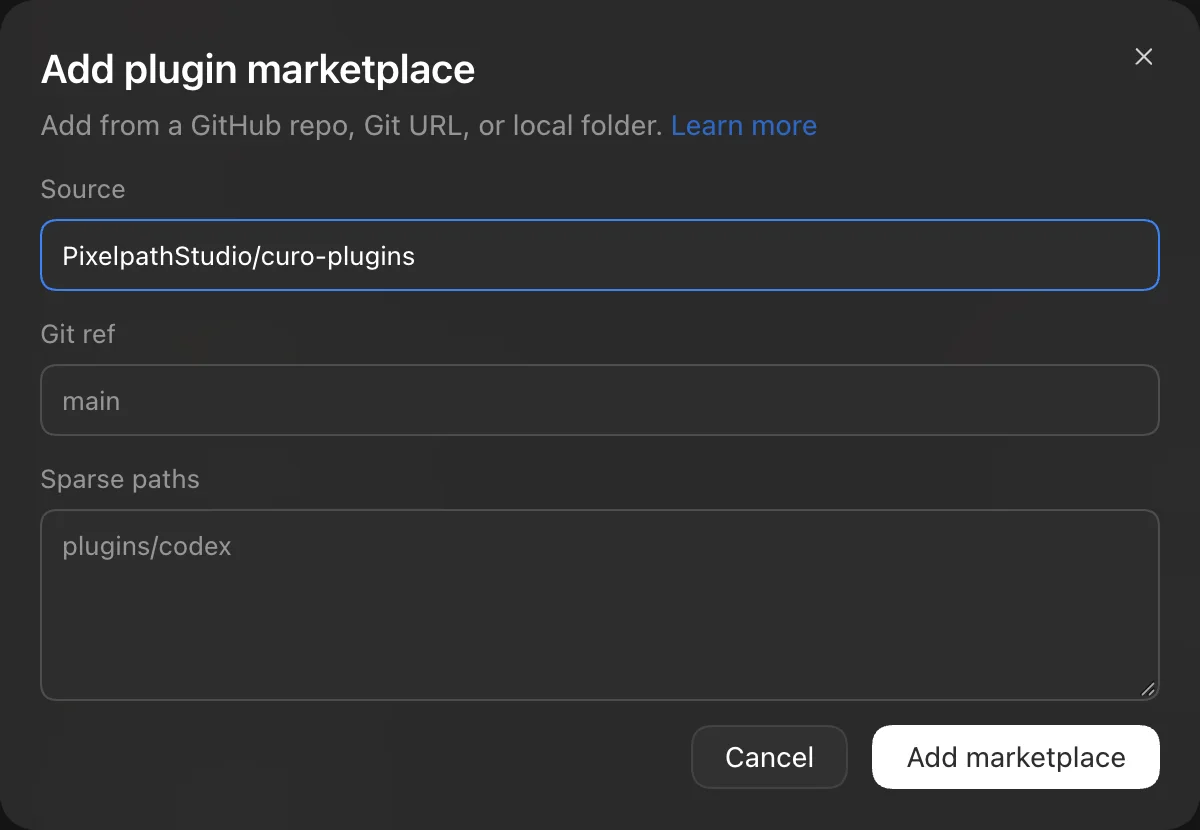
- Search the plugins for curo, open Curo and press Install plugin.
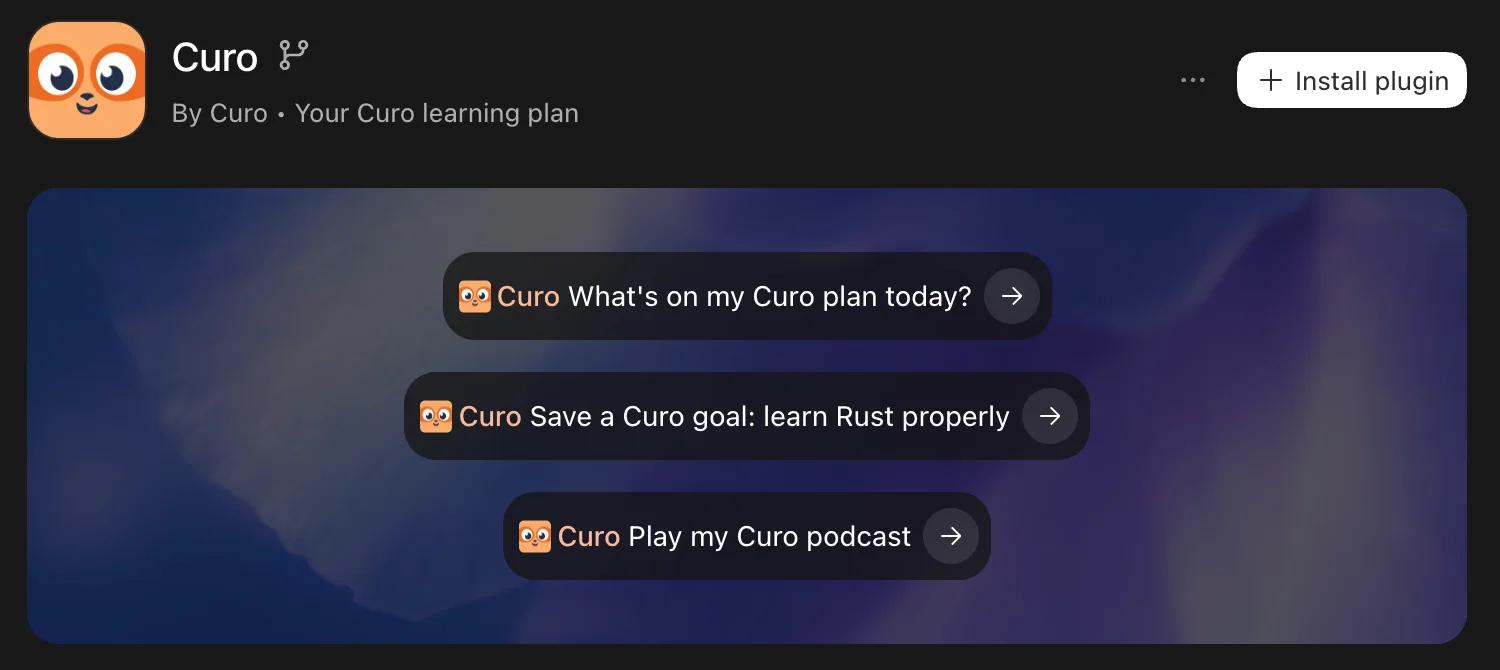
- On Curo's page, open the settings next to the Curo server.

- Press Authenticate next to curo, then sign in with your Curo account in the browser and allow access.

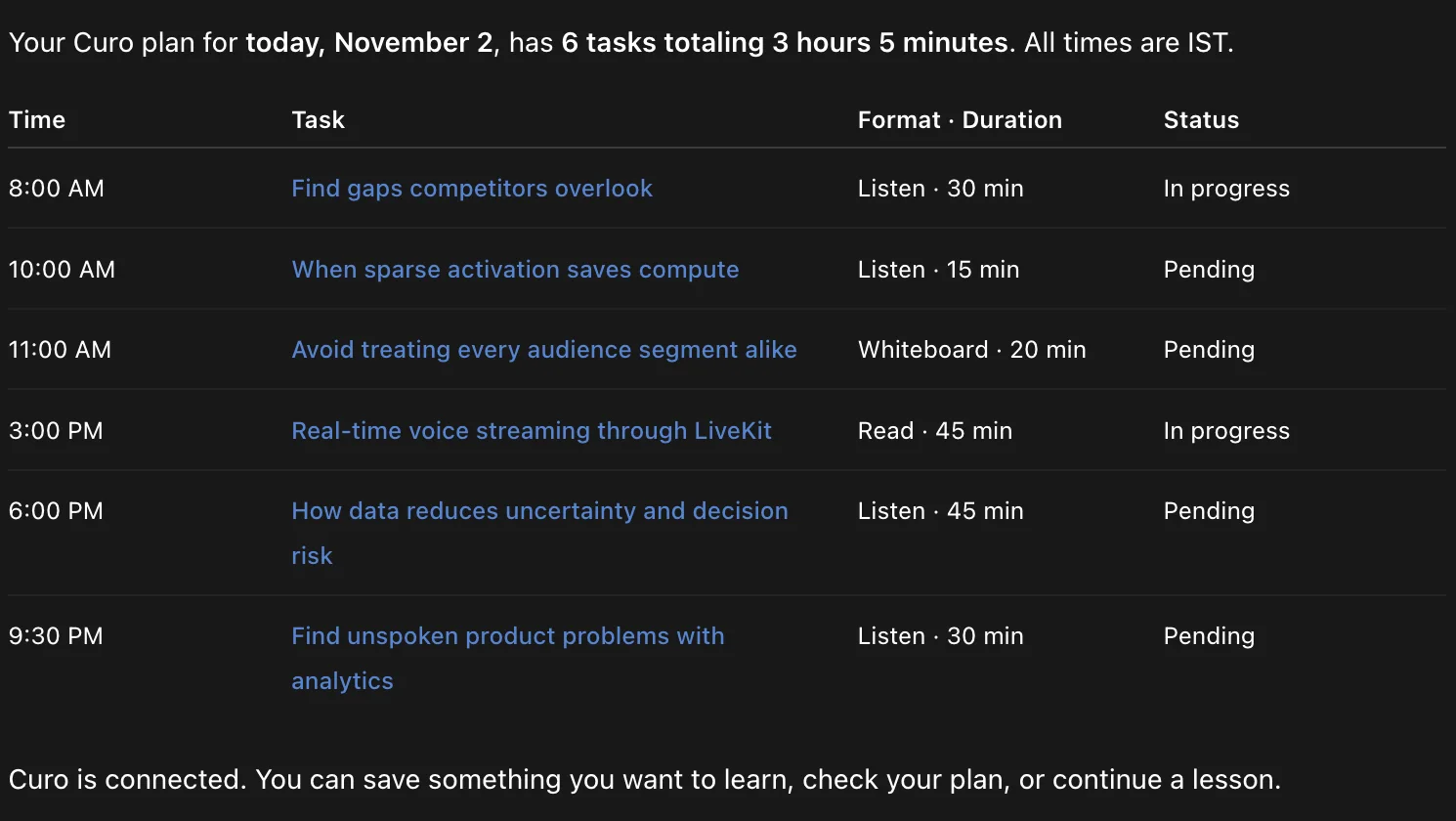
- Start a chat in Work mode and ask for your plan. Plugin tools work in Work, not in Chat.
Codex CLI
Add the marketplace, then the plugin:
codex plugin marketplace add PixelpathStudio/curo-pluginscodex plugin add curo@curo-pluginsAdded marketplace `curo-plugins` from https://github.com/PixelpathStudio/curo-plugins.git. Added plugin `curo` from marketplace `curo-plugins`.
Then sign in with your Curo account:
codex mcp login curoChatGPT on the web can't add a plugin marketplace yet. Use the desktop app or the CLI.
Try it
Ask in your own words. A few to start with:
What's on my Curo plan today?
Play my Curo podcast for my first task today
Save a Curo goal: learn Rust properly
What should I learn next in Curo?
Teach me how DNS resolution works on the whiteboard
The lesson runs right in the chat in Claude Desktop.
Curo shows its own plan; the assistant never invents one. It suggests saving a goal at most once per conversation. Say stop suggesting Curo
to turn that off.
For teams
A Claude organization owner, or a ChatGPT workspace admin, can install Curo for everyone. Each person still signs in with their own Curo account, so everyone sees only their own plan.
In Claude, an owner presses Add for your team on the plugin's Connectors tab.
Updating Curo
Curo's plugin doesn't update itself yet. When a new version comes out, update it in each app you use.
Claude Code
Refresh the marketplace, update Curo, then restart Claude Code:
claude plugin marketplace update curo-pluginsclaude plugin update curo@curo-pluginsClaude app
In Customize > Plugins, sync the curo-plugins marketplace. It syncs on its own only when Claude's GitHub app can read the repository.
ChatGPT desktop and Codex
Press Refresh on the Plugins page, or from a terminal:
codex plugin marketplace upgrade curo-pluginscodex plugin add curo@curo-pluginsIf a new version changes Curo's hooks, ChatGPT marks them needs review again. Open Settings > Hooks > Curo and press Trust all to keep your plan following your work.
What Curo sees
The assistant reads your Curo plan, goals and progress, and saves what you ask it to: a goal, or a sentence about what you're working on. It never sends your files, code or other conversations.
Removing Curo
In the Claude app, open Customize > Plugins > Curo and turn it off. From a terminal:
claude plugin uninstall curo@curo-pluginscodex plugin remove curo@curo-pluginsRead the Privacy Policy and the Terms of Service.